How to Build a Lifting Conference Table?
A Step-by-Step Guide on How to Build a Lifting Conference Table
In modern offices, a conference table is more than just a place for meetings—it’s a hub for collaboration, presentations, and brainstorming. However, traditional fixed-height conference table designs often fail to accommodate diverse needs: some team members prefer sitting, others need to stand to present or stretch, and varying group sizes demand flexible space. A lifting conference table solves these issues by adjusting height on demand, making it a versatile addition to any workspace. But how do you build one that’s stable, functional, and built to last? This guide walks you through the entire process, from planning to assembly, and highlights how Huagang Intelligent Technology (Guangdong) Co., Ltd.—a leader in height-adjustable furniture—can simplify your project with premium components and expertise. For more resources, including component catalogs and design templates, visit www.huagangzn.com.
Step 1: Plan Your Lifting Conference Table—Define Needs and Specifications
Before picking up tools, clear planning ensures your lifting conference table meets your team’s needs and fits your space. This phase lays the foundation for a successful build, so take time to answer key questions and finalize specifications.
1.1 Determine Size and Shape
Start by assessing your conference room dimensions and typical meeting sizes:
- Small teams (4–6 people): A rectangular table (120cm–160cm long x 80cm–100cm wide) or round table (100cm–120cm diameter) works best.
- Medium/large teams (8–12+): Opt for a longer rectangular table (180cm–240cm long x 90cm–120cm wide) or a U-shaped design.
Keep 100cm–120cm of clearance around the table for easy movement. Huagang offers customizable tabletop sizes (up to 300cm long) to fit any space—you can browse their tabletop materials (solid wood, melamine, glass) on www.huagangzn.com.
1.2 Set Height Adjustment Range
A versatile lifting conference table should accommodate both sitting and standing users:
- Sitting height: 70cm–76cm (standard for office chairs).
- Standing height: 100cm–110cm (comfortable for presenting or standing meetings).
For maximum flexibility, aim for a total adjustment range of 30cm–40cm. Huagang’s lifting columns (a key component we’ll cover later) support ranges of 25cm–50cm, making them ideal for custom builds.
1.3 Choose Power Source and Control Type
Lifting conference table rely on either electric or manual mechanisms—electric is the most practical for frequent use:
- Electric: Powered by a motor and power cord (or rechargeable battery for cordless setups). Look for quiet motors (under 50dB) to avoid disrupting meetings.
- Control options: A central control panel (mounted on the table edge) or wireless remotes (for easy access from anywhere in the room). Huagang’s control systems include memory presets (save 2–4 favorite heights) and anti-collision sensors—critical for safety.
Step 2: Select Core Components—Prioritize Quality and Compatibility
The durability and performance of your lifting conference table depend on the quality of its components. Cutting corners here leads to wobbling, noisy operation, or premature failure. Focus on these four key parts, and consider sourcing from trusted suppliers like Huagang Intelligent Technology (Guangdong) Co., Ltd. for guaranteed compatibility.
2.1 Lifting Columns (The “Engine” of the Table)
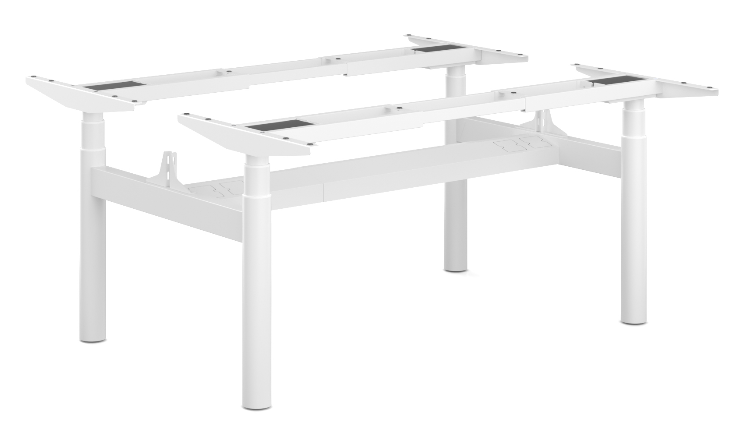
Lifting columns are the most important component—they raise and lower the tabletop. For a stable conference table, use 2–4 columns (depending on size):
- 2 columns: Suitable for small tables (under 160cm long).
- 4 columns: Required for large/heavy tables (over 180cm long or with glass tabletops).
Huagang’s lifting columns are built with their signature “car-grade precision cold-drawn steel tubes,” which offer three key advantages: 1) High strength (supports up to 120kg per column), 2) Smooth operation (no jerks or squeaks), 3) Long lifespan (tested for 20,000+ lifts). Their columns also feature synchronized lifting (all columns move in unison) to prevent tabletop misalignment.
2.2 Tabletop—Balance Aesthetics and Durability
The tabletop sets the look of your conference table and must withstand daily use (laptops, coffee mugs, presentations). Popular materials include:
- Melamine: Affordable, scratch-resistant, and available in wood-grain or solid colors.
- Solid wood: Premium look and feel, but heavier (requires stronger lifting columns).
- Tempered glass: Modern and sleek, but fragile—use 10mm+ thickness for safety.
Huagang offers pre-cut tabletops (customizable to your size/shape) or can supply raw materials for DIY cutting. Their tabletops also include pre-drilled holes for lifting column installation, saving you time.
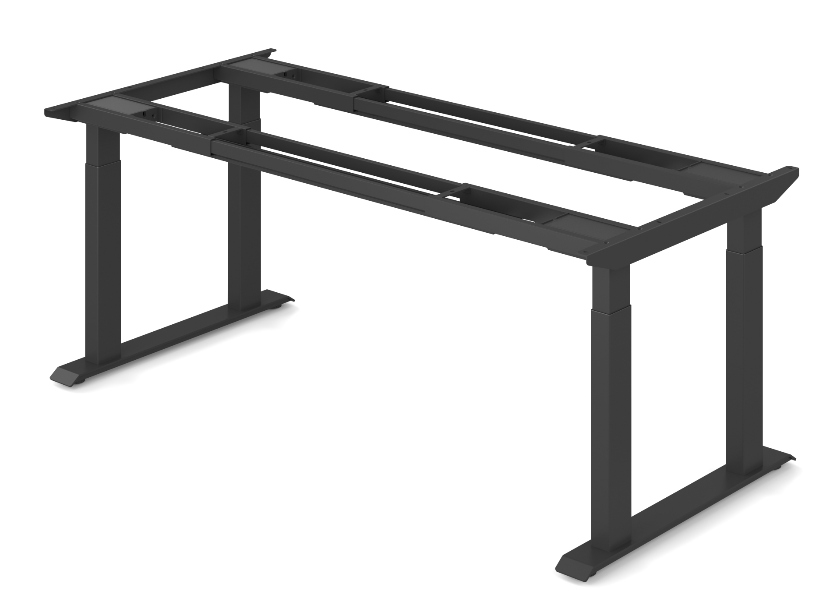
2.3 Frame and Crossbars
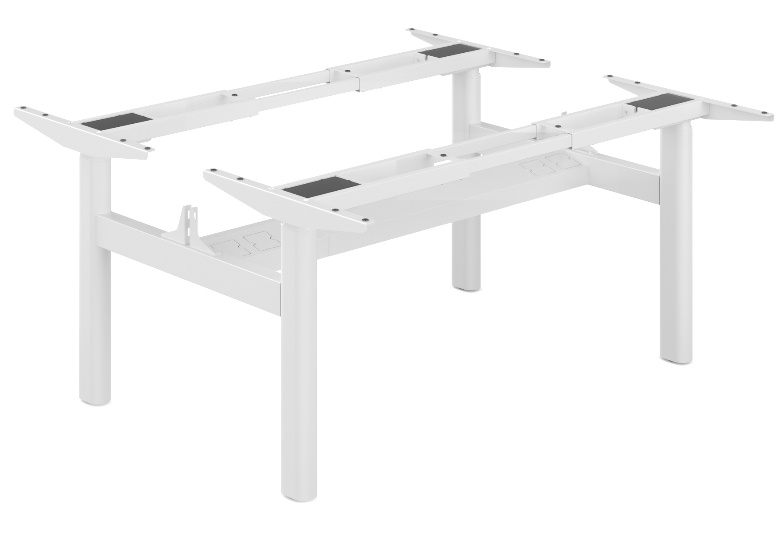
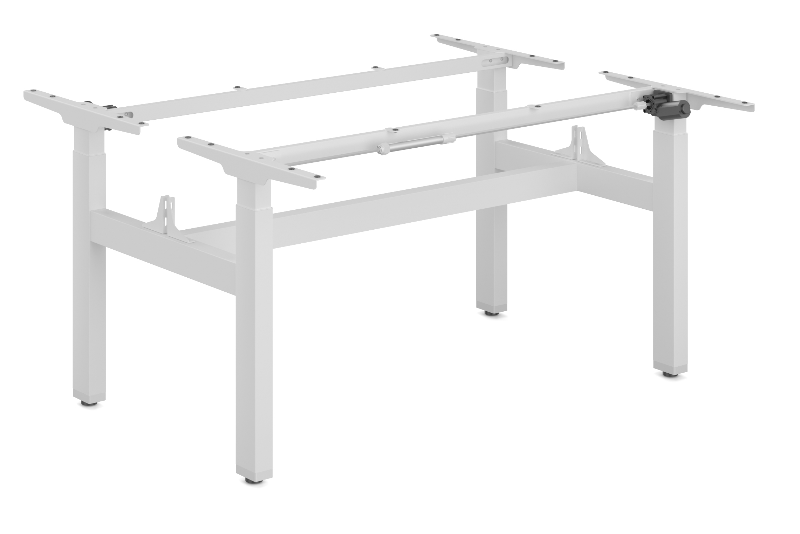
A steel frame connects the lifting columns and supports the tabletop, preventing wobbling. Use rectangular steel tubes (50mm x 30mm) for the frame and crossbars (spaced 40cm–60cm apart) for extra stability. Huagang’s frame kits include pre-welded parts and hardware, eliminating the need for welding tools.
2.4 Power Supply and Wiring
For electric tables, use a power supply that matches the voltage of your lifting columns (typically 12V–24V). Hide wires using cable management channels (mounted under the tabletop) to keep the conference table looking clean. Huagang’s wiring kits include all necessary cables, connectors, and clips for a hassle-free setup.
Step 3: Assemble the Lifting Conference Table—From Frame to Finish
With your components ready, follow these steps to assemble your lifting conference table. Ensure you have a helper—tabletops and frames can be heavy—and use basic tools (drill, screwdrivers, level).
3.1 Build the Frame and Install Lifting Columns
- Lay the steel frame pieces on a flat surface (use a workshop floor or large table).
- Attach crossbars to the frame using bolts and washers (tighten with a wrench for security).
- Mount the lifting columns to the frame using the provided brackets. Ensure columns are straight and aligned (use a level to check—misalignment causes uneven lifting).
- Connect the columns to the control panel and power supply using the wiring kit. Test the columns briefly (raise/lower 10cm) to confirm they sync properly.
Pro tip: Huagang’s lifting columns come with detailed installation guides, and their technical support team (reachable via www.huagangzn.com) can help troubleshoot alignment issues.
3.2 Attach the Tabletop to the Frame
- Flip the frame upside down (place it on foam pads to protect the columns).
- Position the tabletop on the frame, ensuring it’s centered (leave equal overhang on all sides).
- Drill pilot holes through the frame into the tabletop (use wood screws for solid wood/melamine, or glass bolts for glass tabletops).
- Tighten screws evenly to avoid warping the tabletop. For large tabletops, add extra screws at the crossbars for support.
3.3 Install Controls and Cable Management
- Mount the control panel to the table edge (choose a spot within easy reach, e.g., 15cm from the corner).
- Route wires through the cable management channels (attach channels to the underside of the tabletop with adhesive or screws).
- Plug the power supply into a wall outlet (use a surge protector for safety).
3.4 Test and Calibrate the Table
- Press the “Up” and “Down” buttons to test the full height range. Check for wobbling—if the table shakes, tighten frame bolts or adjust column alignment.
- Set memory presets (e.g., “Sitting” at 75cm, “Standing” at 105cm) using the control panel.
- Test the anti-collision sensor: Place a box under the table and press “Down”—the table should stop immediately when it touches the box.
Step 4: Customize and Maintain Your Lifting Conference Table
Once assembled, add custom touches to make the conference table uniquely yours, and follow maintenance tips to extend its lifespan.
4.1 Customization Ideas
- Built-in features: Install USB charging ports (Huagang offers compatible port kits) or a built-in projector mount for presentations.
- Aesthetics: Add a logo decal to the tabletop or paint the frame to match your office decor.
- Accessories: Pair with height-adjustable conference chairs (Huagang sells matching sets) for a cohesive look.
4.2 Maintenance Tips
- Monthly: Wipe the tabletop with a damp cloth and tighten any loose frame bolts.
- Quarterly: Lubricate lifting column joints with silicone spray (avoid oil-based lubricants—they attract dust).
- Annually: Check wiring for fraying and test the anti-collision sensor to ensure it’s working.
Huagang offers a 5-year warranty on their lifting columns and control systems, so you can rest easy knowing your conference table is protected.
How to clean the desktop of an Lifting executive desk?
What Is the Best Desk for Gaming?
Related Article